

155.75 SR
Movavi Video Editor 2026 (PC) (1 Device, Lifetime) - Movavi Key - GLOBAL
Product details

Platform
Movavi

Region
GLOBAL

Type
Key
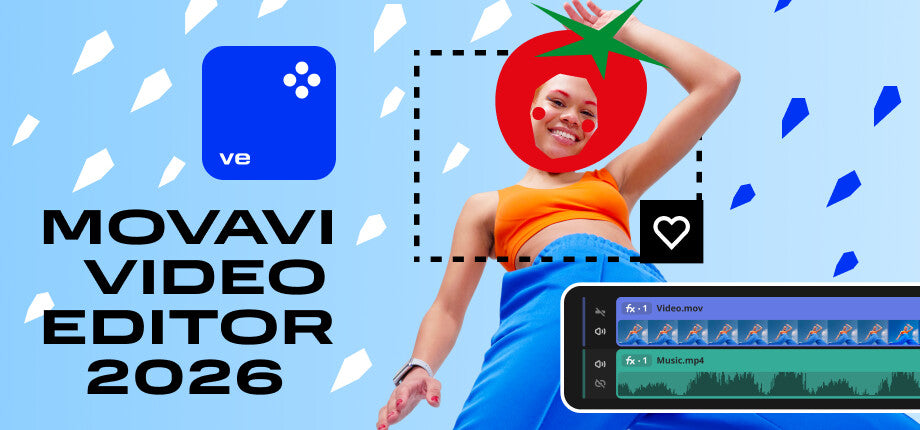
Movavi Video Editor 2026 is an intuitive video editing software for Windows and Mac, made for fast cutting, 4K export, AI tools, subtitles, effects, transitions, and polished video creation.Movavi Video Editor 2026...
View full description →
1 offer available
Compare sellers, delivery times and prices.
Sort by:
Instant delivery
1 offerProduct information
Everything you need to know about this product.
- Number of Devices:
- 1 Device
- Duration:
- Lifetime
Languages
 English
 German
 French
 Italian
 Spanish
 Spanish - Latin America
 Dutch
Dutch
 Japanese
 Korean
 Polish
 Turkish
 Chinese
Movavi Video Editor 2026 is an intuitive video editing software for Windows and Mac, made for fast cutting, 4K export, AI tools, subtitles, effects, transitions, and polished video creation.
Movavi Video Editor 2026 Key Features
- Fast editing tools for cutting, trimming, splitting, merging, flipping, rotating, and cropping video clips.
- AI-powered tools for motion tracking, background removal, noise reduction, and footage upscaling.
- Automatic subtitles and silence removal to speed up editing and make videos easier to watch.
- 4K video export for creating high-quality videos without a watermark.
- Built-in titles, transitions, filters, overlays, and other effects for enhancing video projects.
- Precision frame cutting for more accurate edits.
- Pro-quality color correction and one-click video improvement tools.
- Overlay blending modes for more creative visual compositions.
Create Videos Faster with Smart Editing Tools
Movavi Video Editor 2026 is designed to make the editing process simple and efficient. Users can quickly cut footage into segments, trim unwanted parts, merge clips, rotate scenes, adjust speed, and improve video quality without dealing with a complicated professional workflow.
AI Features That Save Time
The software includes AI tools that help reduce repetitive editing work. Background removal, noise reduction, motion tracking, silence removal, and automatic subtitles make it easier to prepare videos for social media, YouTube, presentations, tutorials, or personal projects.
Effects, Titles, and Transitions for Better-Looking Videos
Movavi Video Editor 2026 gives users access to creative tools such as filters, transitions, titles, overlays, and visual effects. These features help transform simple footage into more engaging videos, whether the project is a short clip, gameplay edit, vlog, promo video, or longer presentation.
High-Quality Export and Creative Control
With 4K video export, color correction, frame-precise cutting, and overlay blending modes, Movavi Video Editor 2026 gives users more control over the final result. It is suitable for people who want polished videos without learning complex editing software.
Who will like Movavi Video Editor 2026
- Beginner video creators who want an easy-to-use editor.
- YouTubers and vloggers who need quick editing, subtitles, effects, and 4K export.
- Social media creators making short clips, reels, ads, or promo videos.
- Gamers who want to edit gameplay footage with titles, transitions, and overlays.
- Small business owners creating product videos, tutorials, or marketing content.
- Students and teachers preparing video presentations or educational materials.
- Home users editing family videos, travel clips, or personal projects.
Windows
| Component | Minimal Requirements |
|---|---|
| System | Microsoft® Windows® 10/11 64-bit with up-to-date patches and service packs installed. |
| Processor | Intel®, AMD®, or compatible dual-core processor, 1.5 GHz |
| Memory | 4 GB |
| Graphics | Intel® HD Graphics 2000, NVIDIA® GeForce® Series 8 and 8M, Quadro FX 4800, Quadro FX 5600, AMD Radeon™ R600, Mobility Radeon™ HD 4330, Mobility FirePro™ Series, Radeon™ R5 M230 or higher graphics card with up-to-date drivers. |
| Disk Space | 400 MB |
Check Activation instruction on Movavi Support Page.
Where does Movavi Video Editor 2026 on DGSKA.COM come from?
All keys available on the DGSKA.COM Marketplace are sold by business-verified sellers only. This helps maintain a secure and reliable marketplace where buyers can shop for digital software with confidence.
These sellers include:
- Software publishers and official partners who make their items available on the marketplace.
- Wholesalers and distributors who acquire software keys in bulk from authorized sources and offer them through verified business accounts.
DGSKA.COM does not allow individual, non-business sellers to sell on the marketplace, which adds another layer of marketplace security.
Is it safe to buy Movavi Video Editor 2026 on DGSKA.COM?
Yes. DGSKA Marketplace uses secure payment methods, AI-supported account protection, human verification procedures, anti-fraud systems, and seller verification processes to help provide a safe shopping experience.
How do I verify a seller's reliability on DGSKA.COM?
All sellers on DGSKA.COM are verified before they can start selling and are reviewed regularly to make sure they continue to meet marketplace requirements. This means buyers can expect reliable support if any issue appears during or after the purchase process. Sellers who consistently provide a high standard of customer service can earn the Excellent Seller badge, which is visible on their store page.
Can I get a refund for Movavi Video Editor 2026 purchased on DGSKA.COM?
Each seller sets their own refund terms and conditions. You can check the details on the seller’s store page before making a purchase.
If you need more information, you can contact the seller directly by using the "Contact seller" button on their store page.
Are there hidden fees when buying Movavi Video Editor 2026 on DGSKA.COM?
Depending on the payment method selected during checkout, additional fees may apply. However, there are no hidden charges, and the final amount shown at the end of the payment process is the total price you pay.
- Number of Devices:
- 1 Device
- Duration:
- Lifetime
Languages
English
German
French
Italian
Spanish
Spanish - Latin America
Dutch
Japanese
Korean
Polish
Turkish
Chinese
Movavi Video Editor 2026 is an intuitive video editing software for Windows and Mac, made for fast cutting, 4K export, AI tools, subtitles, effects, transitions, and polished video creation.
Movavi Video Editor 2026 Key Features
- Fast editing tools for cutting, trimming, splitting, merging, flipping, rotating, and cropping video clips.
- AI-powered tools for motion tracking, background removal, noise reduction, and footage upscaling.
- Automatic subtitles and silence removal to speed up editing and make videos easier to watch.
- 4K video export for creating high-quality videos without a watermark.
- Built-in titles, transitions, filters, overlays, and other effects for enhancing video projects.
- Precision frame cutting for more accurate edits.
- Pro-quality color correction and one-click video improvement tools.
- Overlay blending modes for more creative visual compositions.
Create Videos Faster with Smart Editing Tools
Movavi Video Editor 2026 is designed to make the editing process simple and efficient. Users can quickly cut footage into segments, trim unwanted parts, merge clips, rotate scenes, adjust speed, and improve video quality without dealing with a complicated professional workflow.
AI Features That Save Time
The software includes AI tools that help reduce repetitive editing work. Background removal, noise reduction, motion tracking, silence removal, and automatic subtitles make it easier to prepare videos for social media, YouTube, presentations, tutorials, or personal projects.
Effects, Titles, and Transitions for Better-Looking Videos
Movavi Video Editor 2026 gives users access to creative tools such as filters, transitions, titles, overlays, and visual effects. These features help transform simple footage into more engaging videos, whether the project is a short clip, gameplay edit, vlog, promo video, or longer presentation.
High-Quality Export and Creative Control
With 4K video export, color correction, frame-precise cutting, and overlay blending modes, Movavi Video Editor 2026 gives users more control over the final result. It is suitable for people who want polished videos without learning complex editing software.
Who will like Movavi Video Editor 2026
- Beginner video creators who want an easy-to-use editor.
- YouTubers and vloggers who need quick editing, subtitles, effects, and 4K export.
- Social media creators making short clips, reels, ads, or promo videos.
- Gamers who want to edit gameplay footage with titles, transitions, and overlays.
- Small business owners creating product videos, tutorials, or marketing content.
- Students and teachers preparing video presentations or educational materials.
- Home users editing family videos, travel clips, or personal projects.
Windows
| Component | Minimal Requirements |
|---|---|
| System | Microsoft® Windows® 10/11 64-bit with up-to-date patches and service packs installed. |
| Processor | Intel®, AMD®, or compatible dual-core processor, 1.5 GHz |
| Memory | 4 GB |
| Graphics | Intel® HD Graphics 2000, NVIDIA® GeForce® Series 8 and 8M, Quadro FX 4800, Quadro FX 5600, AMD Radeon™ R600, Mobility Radeon™ HD 4330, Mobility FirePro™ Series, Radeon™ R5 M230 or higher graphics card with up-to-date drivers. |
| Disk Space | 400 MB |
Check Activation instruction on Movavi Support Page.
Where does Movavi Video Editor 2026 on DGSKA.COM come from?
All keys available on the DGSKA.COM Marketplace are sold by business-verified sellers only. This helps maintain a secure and reliable marketplace where buyers can shop for digital software with confidence.
These sellers include:
- Software publishers and official partners who make their items available on the marketplace.
- Wholesalers and distributors who acquire software keys in bulk from authorized sources and offer them through verified business accounts.
DGSKA.COM does not allow individual, non-business sellers to sell on the marketplace, which adds another layer of marketplace security.
Is it safe to buy Movavi Video Editor 2026 on DGSKA.COM?
Yes. DGSKA Marketplace uses secure payment methods, AI-supported account protection, human verification procedures, anti-fraud systems, and seller verification processes to help provide a safe shopping experience.
How do I verify a seller's reliability on DGSKA.COM?
All sellers on DGSKA.COM are verified before they can start selling and are reviewed regularly to make sure they continue to meet marketplace requirements. This means buyers can expect reliable support if any issue appears during or after the purchase process. Sellers who consistently provide a high standard of customer service can earn the Excellent Seller badge, which is visible on their store page.
Can I get a refund for Movavi Video Editor 2026 purchased on DGSKA.COM?
Each seller sets their own refund terms and conditions. You can check the details on the seller’s store page before making a purchase.
If you need more information, you can contact the seller directly by using the "Contact seller" button on their store page.
Are there hidden fees when buying Movavi Video Editor 2026 on DGSKA.COM?
Depending on the payment method selected during checkout, additional fees may apply. However, there are no hidden charges, and the final amount shown at the end of the payment process is the total price you pay.
Customer reviews
Why
DGSKA?
DGSKA?
Curated digital products
Carefully selected products from verified sellers
Protected payments
Secure checkout with trusted payment methods
Trusted sellers
Seller profiles with feedback and verification
Marketplace support
Clear order details and seller-based purchasing
Added to cart