

116.79 SR
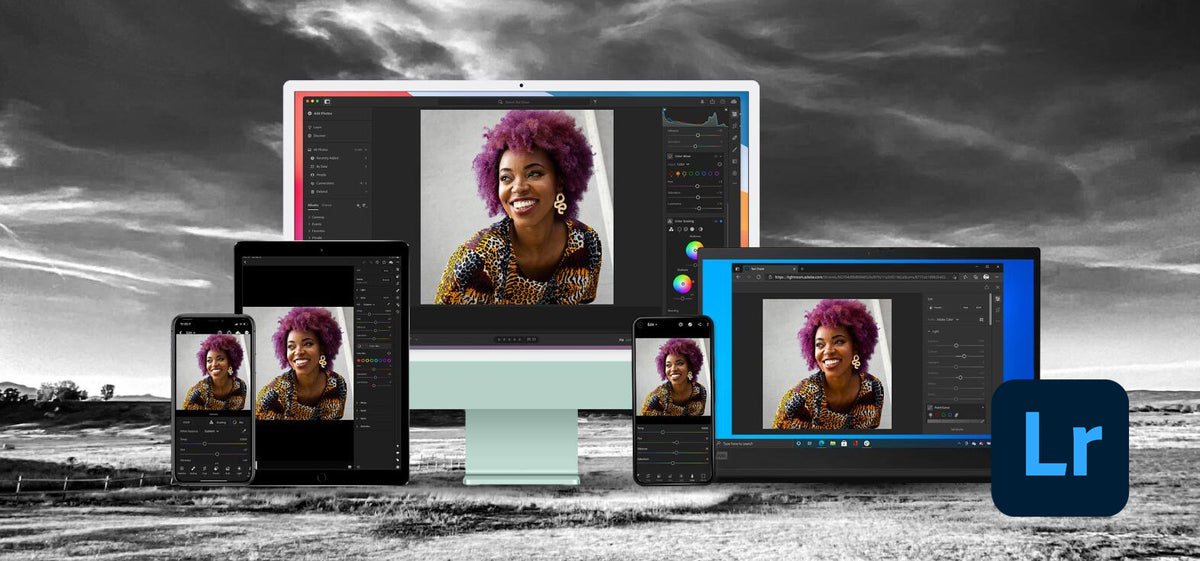
Adobe Lightroom 5.7 (PC) - Adobe Key - GLOBAL
Product details

Platform
Adobe

Region
GLOBAL

Type
Key
Adobe Lightroom 5.7 is a powerful photo editing and management software designed for photographers. This version offers a range of enhancements for image adjustments, catalog management, and overall user experience. K...
View full description →
1 offer available
Compare sellers, delivery times and prices.
Sort by:
Instant delivery
1 offerProduct information
Everything you need to know about this product.
Adobe Lightroom 5.7 is a powerful photo editing and management software designed for photographers. This version offers a range of enhancements for image adjustments, catalog management, and overall user experience.
Key features include:
Visualize Spots
While the Spot Removal tool enables you to remove visible imperfections, some flaws in the photo may not be visible in the normal view (for example, sensor dust, or spots or blemishes on a portrait). The Visualize Spots option available with the Spot Removal tool enables you to see smaller and less-visible imperfections.
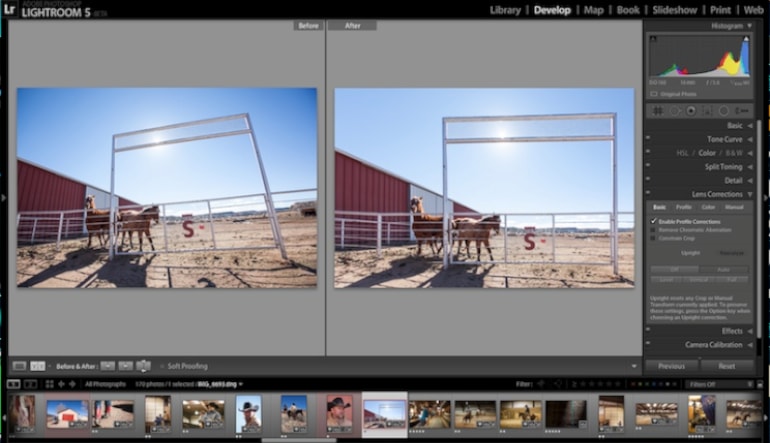
Upright - Automatic Perspective Correction
Upright (Develop Module > Lens Corrections > Basic tab) enables you to automatically straighten image content. Upright automatically corrects the perspective of the elements in a photograph.
Smart Previews
You can now easily work with images without having to carry the original files with you at all times. Store your original image files on an external device, and generate smaller preview files called Smart Previews.
Use Lightroom on the web for collaborative feedback and commenting
You can now share collections with Lightroom on the web with family, friends, clients, or anyone you need to show your work to. Solicit feedback, comments, and ask viewers to like their favorite photos - Lightroom automatically syncs the information to your Lightroom desktop or Lightroom mobile devices.
Radial Filter
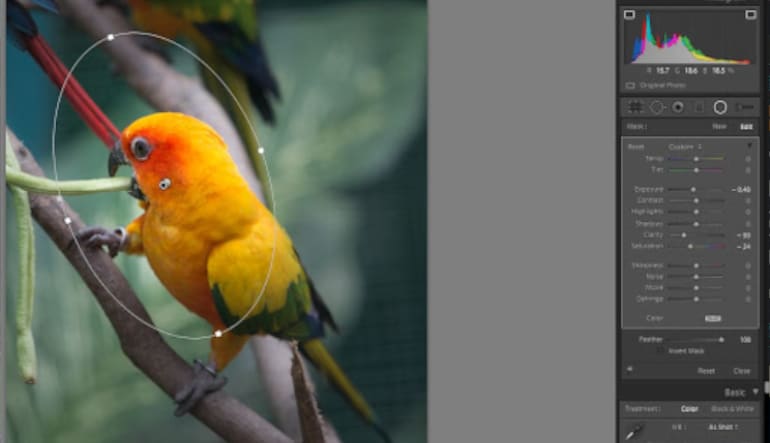
In photographs with busy backgrounds, the subject of your photograph can get lost in the ambient colors and textures. Creating a vignette effect is another way to focus attention, but only works if the focal point is in the center of the image.
The new Radial Filter tool in Lightroom 5 lets photographers emphasize the important part of an image by creating off-center vignette effects or multiple vignetted areas to highlight multiple areas.
How to activate:
- Visit the Activation Site
- Sign In or Create an Adobe ID
- Enter the Redemption Code
- Click “Get Started” and choose the appropriate installer for your operating system (Mac or Windows).
- Download the installer file and run it to complete the installation.
- Once the installation is complete, open Adobe Lightroom.
- Sign in with your Adobe ID if prompted. Your software should now be activated.
Adobe Lightroom 5.7 is a powerful photo editing and management software designed for photographers. This version offers a range of enhancements for image adjustments, catalog management, and overall user experience.
Key features include:
Visualize Spots
While the Spot Removal tool enables you to remove visible imperfections, some flaws in the photo may not be visible in the normal view (for example, sensor dust, or spots or blemishes on a portrait). The Visualize Spots option available with the Spot Removal tool enables you to see smaller and less-visible imperfections.
Upright - Automatic Perspective Correction
Upright (Develop Module > Lens Corrections > Basic tab) enables you to automatically straighten image content. Upright automatically corrects the perspective of the elements in a photograph.
Smart Previews
You can now easily work with images without having to carry the original files with you at all times. Store your original image files on an external device, and generate smaller preview files called Smart Previews.
Use Lightroom on the web for collaborative feedback and commenting
You can now share collections with Lightroom on the web with family, friends, clients, or anyone you need to show your work to. Solicit feedback, comments, and ask viewers to like their favorite photos - Lightroom automatically syncs the information to your Lightroom desktop or Lightroom mobile devices.
Radial Filter
In photographs with busy backgrounds, the subject of your photograph can get lost in the ambient colors and textures. Creating a vignette effect is another way to focus attention, but only works if the focal point is in the center of the image.
The new Radial Filter tool in Lightroom 5 lets photographers emphasize the important part of an image by creating off-center vignette effects or multiple vignetted areas to highlight multiple areas.
How to activate:
- Visit the Activation Site
- Sign In or Create an Adobe ID
- Enter the Redemption Code
- Click “Get Started” and choose the appropriate installer for your operating system (Mac or Windows).
- Download the installer file and run it to complete the installation.
- Once the installation is complete, open Adobe Lightroom.
- Sign in with your Adobe ID if prompted. Your software should now be activated.
Customer reviews
Why
DGSKA?
DGSKA?
Curated digital products
Carefully selected products from verified sellers
Protected payments
Secure checkout with trusted payment methods
Trusted sellers
Seller profiles with feedback and verification
Marketplace support
Clear order details and seller-based purchasing
Added to cart