Fello
✓
138.07 SR


Compare sellers, delivery times and prices.
Everything you need to know about this product.
Microsoft Visio 2024 is a powerful diagramming tool designed to help individuals and teams create and share professional, versatile diagrams that simplify complex information. Here’s a detailed look at its features and enhancements:
Updated Shapes, Templates, and Styles
New Search Bar
Modernized Appearance
Enhanced Accessibility
Expanded Content Library
Integration with Microsoft 365
Improved Performance
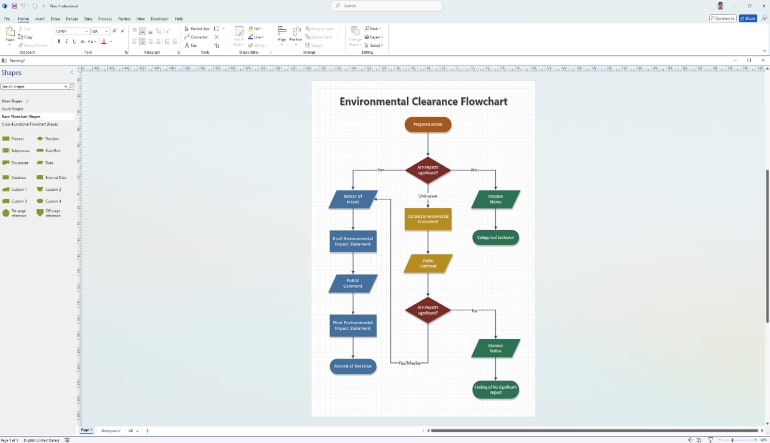
Advanced Diagramming Tools
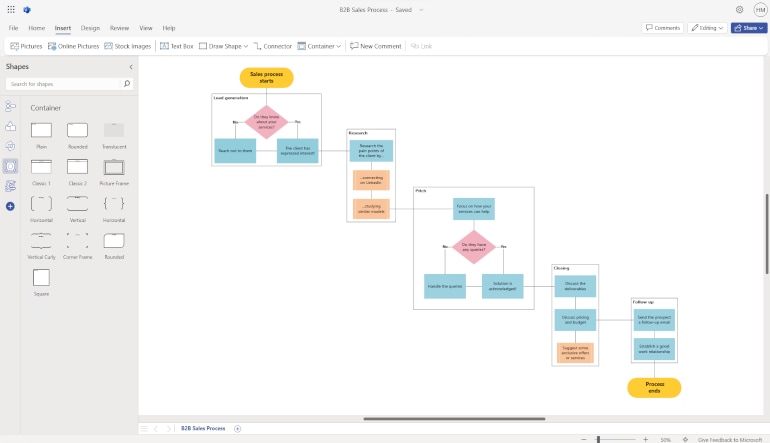
Business Process Modeling
Visio 2024 is ideal for creating detailed business process models. The updated templates and shapes make it easy to map out processes, identify bottlenecks, and optimize workflows.
Network Design
Network administrators can use Visio 2024 to design and document network infrastructures. The new network shapes and stencils, including Azure and Kubernetes, provide the necessary tools to create accurate and comprehensive network diagrams.
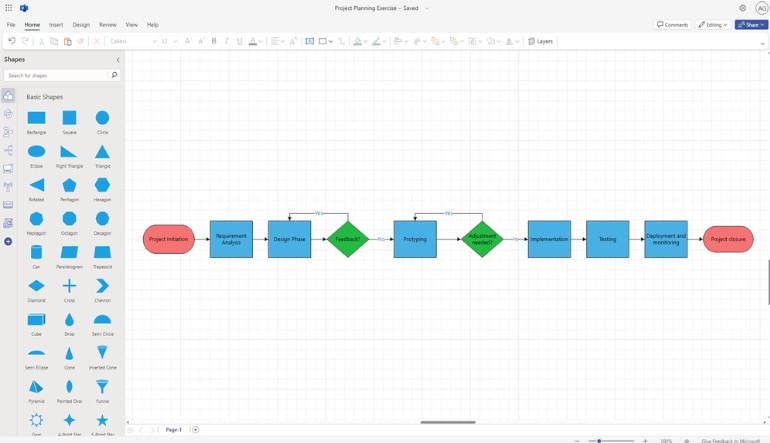
Project Management
Project managers can leverage Visio 2024 to create Gantt charts, timelines, and other project management diagrams. The integration with Microsoft 365 ensures that project plans are easily shared and updated in real-time.
Engineering and Architecture
Engineers and architects can use Visio 2024 to create detailed technical drawings and schematics. The precision tools and extensive shape library support a wide range of engineering and architectural projects.
Microsoft Visio 2024 is a versatile and powerful tool that enhances the way individuals and teams create, share, and collaborate on diagrams. With its updated features, modern design, and seamless integration with Microsoft 365, Visio 2024 is well-equipped to meet the diverse needs of professionals across various industries.
How to activate:
Microsoft Visio 2024 licenses available on DGSKA are provided by verified business sellers to ensure a secure and reliable shopping experience.
Sellers may include authorized distributors, official Microsoft partners, and trusted software resellers who source licenses through legitimate commercial channels.
Yes. DGSKA works with verified sellers and secure payment methods to provide a safe and reliable purchasing experience.
Seller verification and marketplace security measures help protect customers throughout every stage of the purchase.
Every seller on DGSKA is reviewed before joining the marketplace and is regularly monitored to maintain high service standards.
You can also check seller ratings, customer reviews, and overall performance before placing your order.
Refund eligibility depends on the seller's refund policy and the type of digital product purchased.
Please review the seller's refund terms before ordering. If you need assistance, contact the seller through your order page or reach out to the DGSKA support team.
No. The amount displayed during checkout is the final price you pay.
If your payment method or local taxes require additional charges, they will always be clearly shown before your payment is completed.
Microsoft Visio 2024 is a powerful diagramming tool designed to help individuals and teams create and share professional, versatile diagrams that simplify complex information. Here’s a detailed look at its features and enhancements:
Updated Shapes, Templates, and Styles
New Search Bar
Modernized Appearance
Enhanced Accessibility
Expanded Content Library
Integration with Microsoft 365
Improved Performance
Advanced Diagramming Tools
Business Process Modeling
Visio 2024 is ideal for creating detailed business process models. The updated templates and shapes make it easy to map out processes, identify bottlenecks, and optimize workflows.
Network Design
Network administrators can use Visio 2024 to design and document network infrastructures. The new network shapes and stencils, including Azure and Kubernetes, provide the necessary tools to create accurate and comprehensive network diagrams.
Project Management
Project managers can leverage Visio 2024 to create Gantt charts, timelines, and other project management diagrams. The integration with Microsoft 365 ensures that project plans are easily shared and updated in real-time.
Engineering and Architecture
Engineers and architects can use Visio 2024 to create detailed technical drawings and schematics. The precision tools and extensive shape library support a wide range of engineering and architectural projects.
Microsoft Visio 2024 is a versatile and powerful tool that enhances the way individuals and teams create, share, and collaborate on diagrams. With its updated features, modern design, and seamless integration with Microsoft 365, Visio 2024 is well-equipped to meet the diverse needs of professionals across various industries.
How to activate:
Microsoft Visio 2024 licenses available on DGSKA are provided by verified business sellers to ensure a secure and reliable shopping experience.
Sellers may include authorized distributors, official Microsoft partners, and trusted software resellers who source licenses through legitimate commercial channels.
Yes. DGSKA works with verified sellers and secure payment methods to provide a safe and reliable purchasing experience.
Seller verification and marketplace security measures help protect customers throughout every stage of the purchase.
Every seller on DGSKA is reviewed before joining the marketplace and is regularly monitored to maintain high service standards.
You can also check seller ratings, customer reviews, and overall performance before placing your order.
Refund eligibility depends on the seller's refund policy and the type of digital product purchased.
Please review the seller's refund terms before ordering. If you need assistance, contact the seller through your order page or reach out to the DGSKA support team.
No. The amount displayed during checkout is the final price you pay.
If your payment method or local taxes require additional charges, they will always be clearly shown before your payment is completed.
Carefully selected products from verified sellers
Secure checkout with trusted payment methods
Seller profiles with feedback and verification
Clear order details and seller-based purchasing
| Product | SKU | Description | Collection | Availability | Product type | Other details |
|---|