
Notice! This license key gives you access to Educational Version of Autodesk Inventor Professional 2024

!
Product information
Everything you need to know before purchasing.
Number of Devices: 1 Device
Duration: 3 Years
Autodesk Inventor: Mechanical design software for ambitious ideas Use powerful design and engineering tools.
What is Autodesk Inventor?
Inventor® 3D CAD software provides professional-grade mechanical design, documentation, and product simulation tools.
- Powerful blend of parametric, direct, freeform, and rules-based design capabilities.
- Integrated tools for sheet metal, frame design, tube and pipe, cable & harness, presentations, rendering, simulation, machine design, and more.
- TrustedDWG® compatibility and powerful Model-Based Definition capabilities for embedding manufacturing information directly in the 3D model.
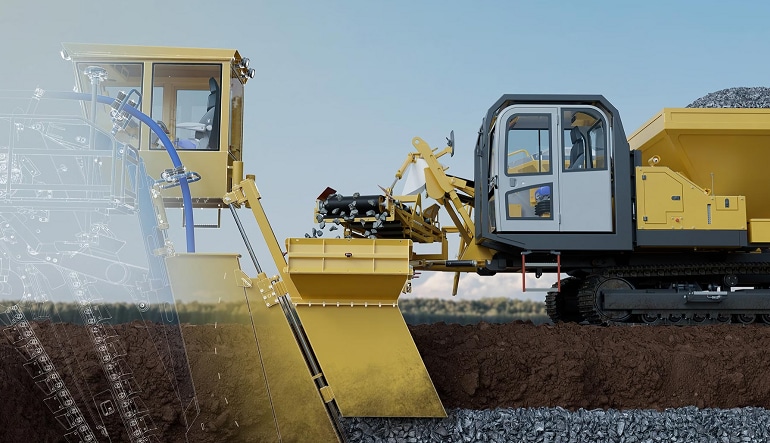
Why use Inventor?
- Improve product performance Use powerful 3D modeling and simulation capabilities to design and optimize performance.
- Reduce repetitive tasks Quickly create customizable configurations of your designs and automate common tasks.
- Boost collaboration Connect your designs with incoming customer data and share ideas in a secure cloud-based service.
Share feedback with built-in collaboration tools
- Work with anyone, anywhere no matter what CAD software they use.
- Collect feedback from stakeholders wherever they are using cloud-based design review.
- Follow the product development lifecycle with one data model.
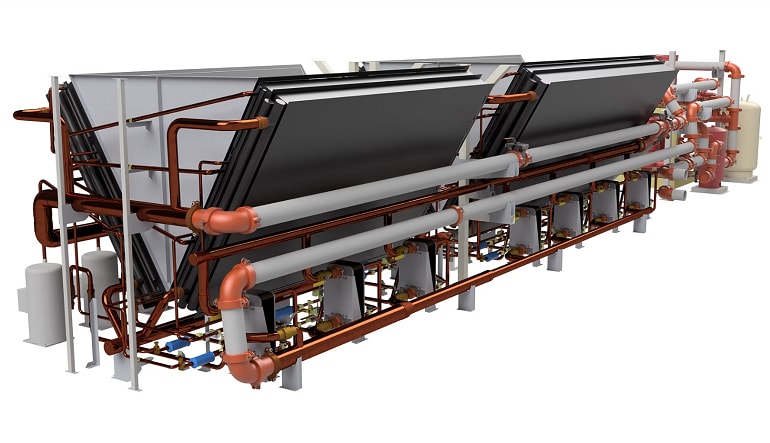
Satisfy demands for custom products and automate processes
- Design efficiently using specialized industry toolsets.
- Enable design automation powered by iLogic.
- Access Inventor API to create add-ins.
- Access Forge Design Automation API for running job processes in the cloud.
Windows
| Component | Minimal Requirements | Recommended Requirements |
|---|---|---|
| System | 64-bit Microsoft® Windows® 11 and Windows 10. See Autodesk's Product Support Lifecycle for support information. | 64-bit Microsoft® Windows® 11 and Windows 10. See Autodesk's Product Support Lifecycle for support information. |
| Processor | 2.5 GHz or greater | 3.0 GHz or greater, 4 or more cores |
| Memory | 16 GB RAM for less than 500-part assemblies | 32 GB RAM or more |
| Graphics | 1 GB GPU with 29 GB/S Bandwidth and DirectX 11 compliant | 4 GB GPU with 106 GB/S Bandwidth and DirectX 11 compliant |
| Disk Space | Installer plus full installation: 40 GB | Installer plus full installation: 40 GB |
| Other | 3840 x 2160 (4K); Preferred scaling: 100%, 125%, 150% or 200% |
Download and install trial version then activate your license code in program menu.
Number of Devices: 1 Device
Duration: 3 Years
Autodesk Inventor: Mechanical design software for ambitious ideas Use powerful design and engineering tools.
What is Autodesk Inventor?
Inventor® 3D CAD software provides professional-grade mechanical design, documentation, and product simulation tools.
- Powerful blend of parametric, direct, freeform, and rules-based design capabilities.
- Integrated tools for sheet metal, frame design, tube and pipe, cable & harness, presentations, rendering, simulation, machine design, and more.
- TrustedDWG® compatibility and powerful Model-Based Definition capabilities for embedding manufacturing information directly in the 3D model.
Why use Inventor?
- Improve product performance Use powerful 3D modeling and simulation capabilities to design and optimize performance.
- Reduce repetitive tasks Quickly create customizable configurations of your designs and automate common tasks.
- Boost collaboration Connect your designs with incoming customer data and share ideas in a secure cloud-based service.
Share feedback with built-in collaboration tools
- Work with anyone, anywhere no matter what CAD software they use.
- Collect feedback from stakeholders wherever they are using cloud-based design review.
- Follow the product development lifecycle with one data model.
Satisfy demands for custom products and automate processes
- Design efficiently using specialized industry toolsets.
- Enable design automation powered by iLogic.
- Access Inventor API to create add-ins.
- Access Forge Design Automation API for running job processes in the cloud.
Windows
| Component | Minimal Requirements | Recommended Requirements |
|---|---|---|
| System | 64-bit Microsoft® Windows® 11 and Windows 10. See Autodesk's Product Support Lifecycle for support information. | 64-bit Microsoft® Windows® 11 and Windows 10. See Autodesk's Product Support Lifecycle for support information. |
| Processor | 2.5 GHz or greater | 3.0 GHz or greater, 4 or more cores |
| Memory | 16 GB RAM for less than 500-part assemblies | 32 GB RAM or more |
| Graphics | 1 GB GPU with 29 GB/S Bandwidth and DirectX 11 compliant | 4 GB GPU with 106 GB/S Bandwidth and DirectX 11 compliant |
| Disk Space | Installer plus full installation: 40 GB | Installer plus full installation: 40 GB |
| Other | 3840 x 2160 (4K); Preferred scaling: 100%, 125%, 150% or 200% |
Download and install trial version then activate your license code in program menu.
Customer reviews
Why
DGSKA?
DGSKA?
Curated digital products
Carefully selected products from verified sellers
Protected payments
Secure checkout with trusted payment methods
Trusted sellers
Seller profiles with feedback and verification
Marketplace support
Clear order details and seller-based purchasing
Added to cart